04 / 05Graduation project management platform2026
Takharruj
A graduation project from first idea to final grade, in one place for the student, the supervisor and the department.
- Laravel 12
- PHP 8.2
- MySQL
- Blade
- Vanilla JS
- Yajra DataTables
- PHPUnit
- Laravel Excel
- Sanctum
- Next.js 14
- React 18
- Tailwind 3

At a glance
01Who is it for?
- The student and team: they propose the project, follow its milestones, upload files, and see the defense date and then the grade.
- The supervisor: accepts supervision requests, sets the milestone plan, reviews submissions and sits on defense committees.
- The department: runs the term, imports students from Excel, schedules defenses and reviews the audit log.
Before the project
Graduation projects are usually run on spreadsheets, WhatsApp groups and email threads. Nobody can quickly say which groups have no supervisor, which milestones are late, where the latest version of a chapter is, or who changed a grade and when.
- No single answerThe information is spread across many places.
- Scheduling on paperDozens of defenses fitted around rooms and committees by hand.
- A grade with no recordA grade needs a clear trail that cannot be quietly edited.
The product
The product, as its users use it
Scroll to walk with the user one step at a time, each step on the screen where it actually happens.
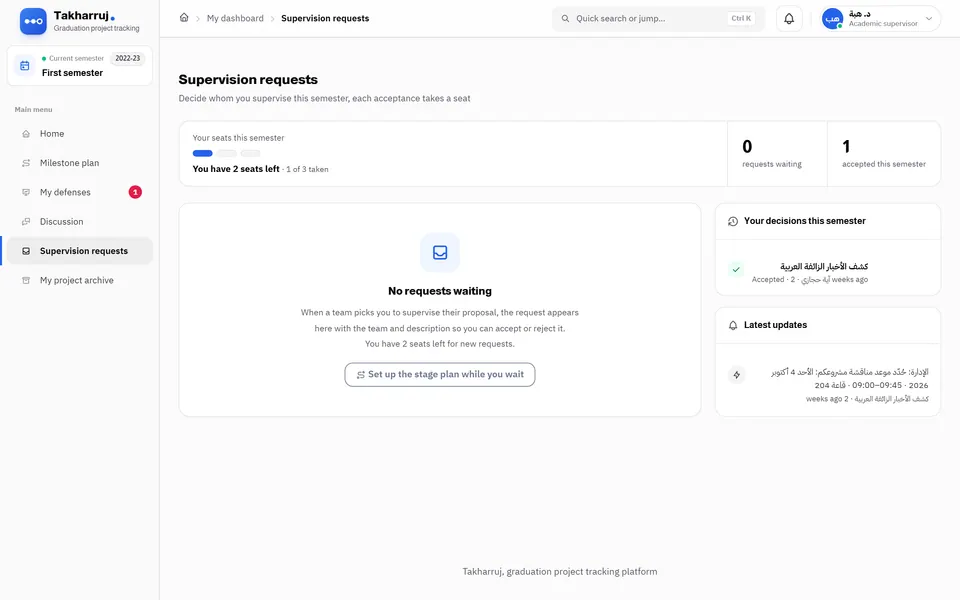
Idea and approval
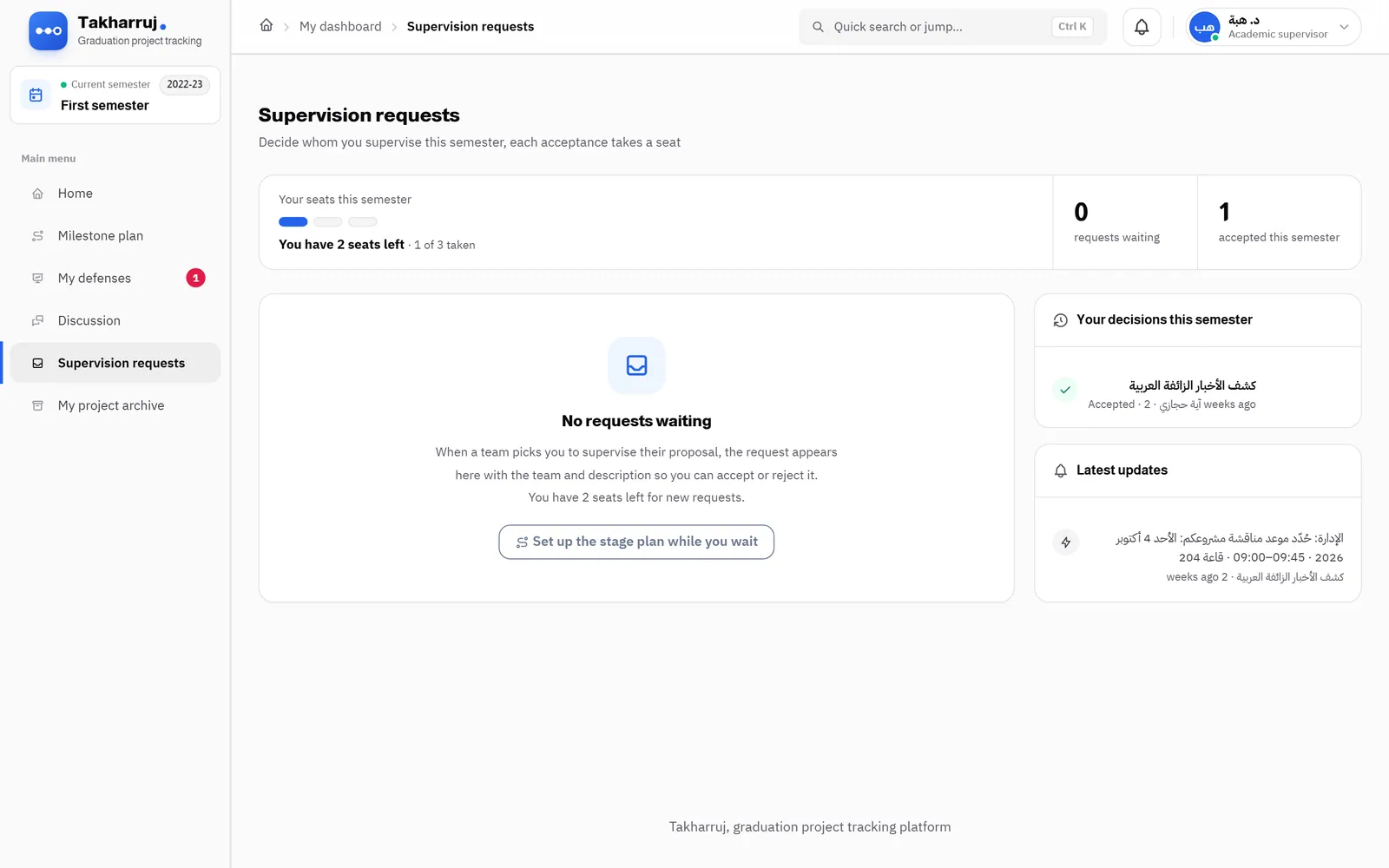
The team proposes a project or picks one from the department’s list, and the supervisor accepts, rejects or asks for changes.
/supervisor/dashboard/projects/request
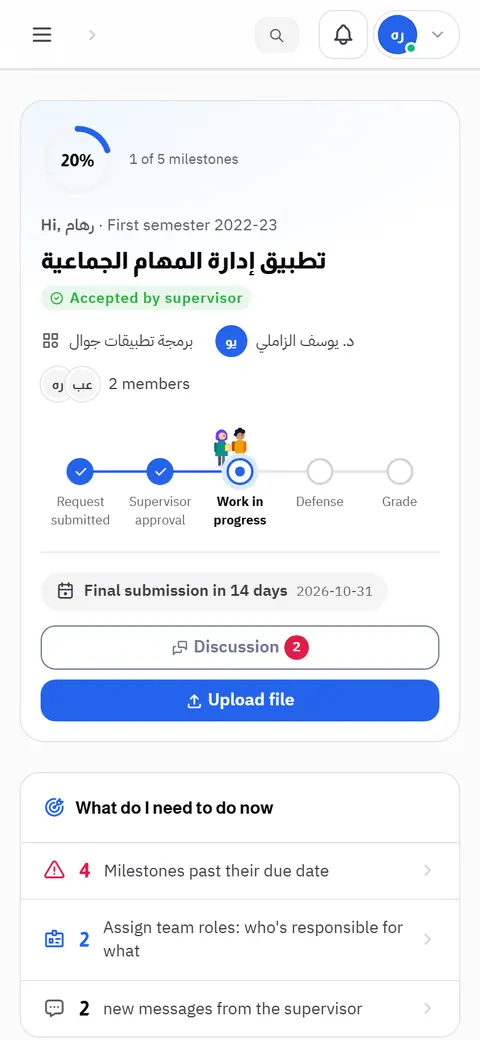
Where my project stands
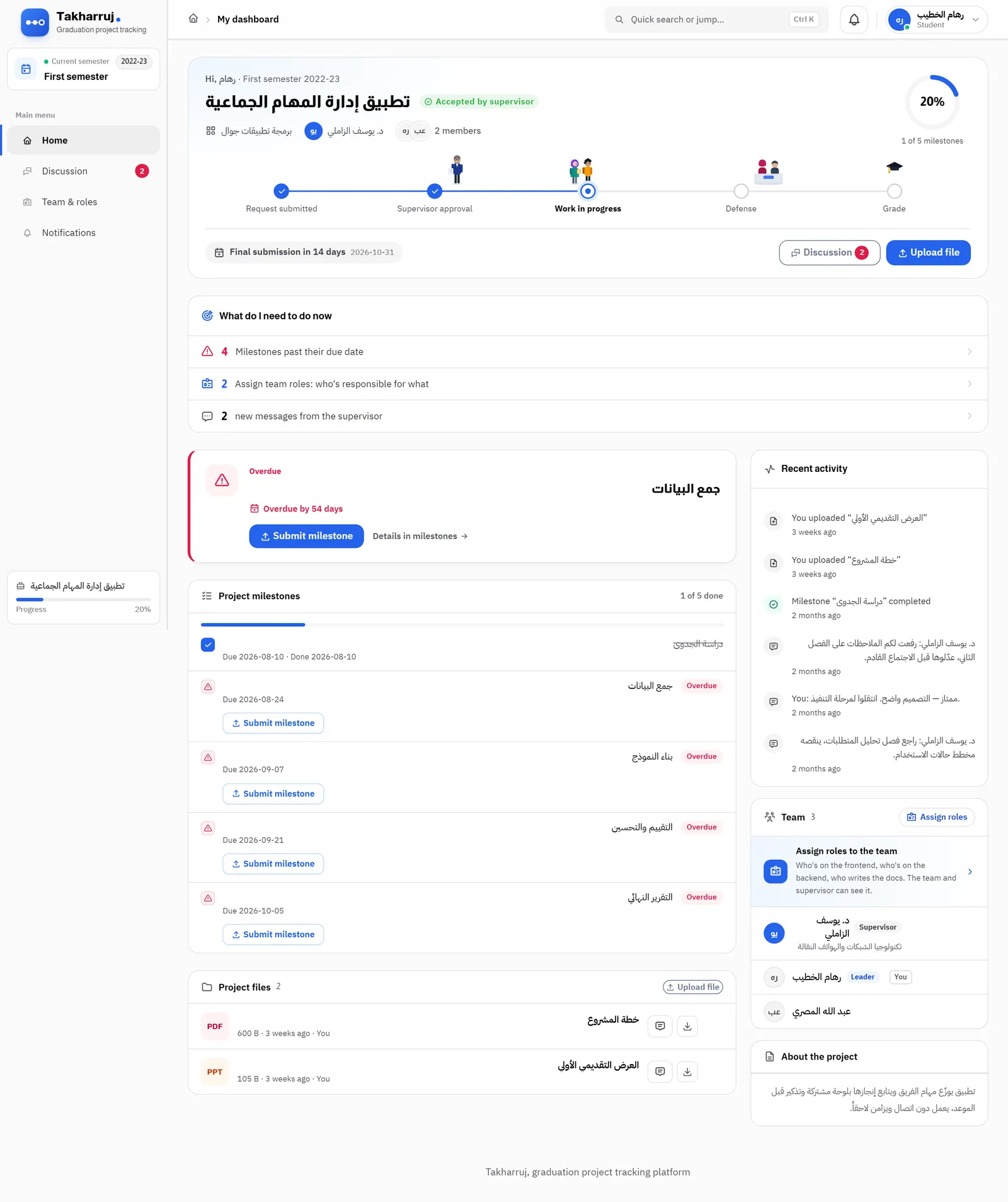
The student sees the team standing at its current step on the project path, and what comes next.
/student/dashboard
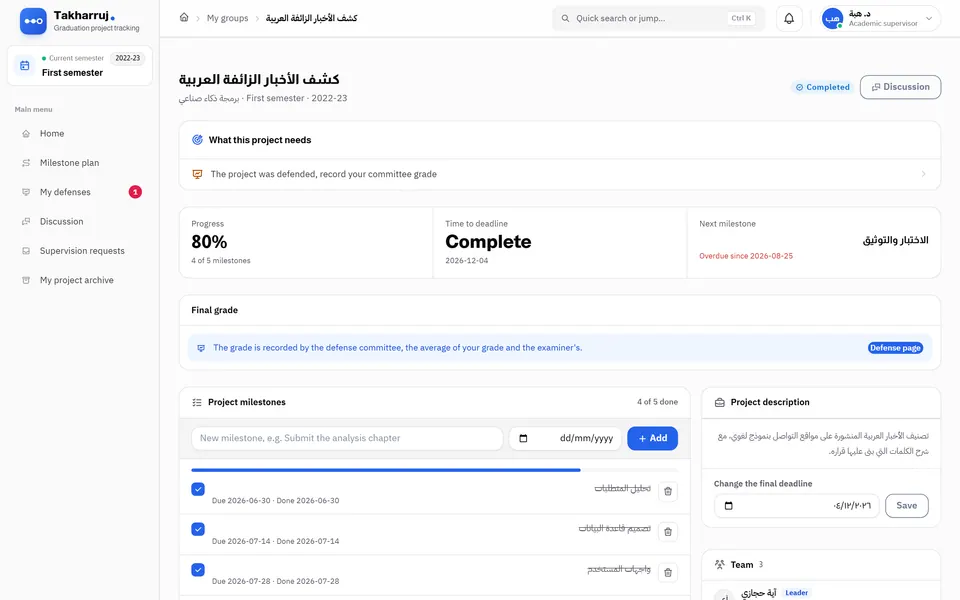
Milestones and submissions
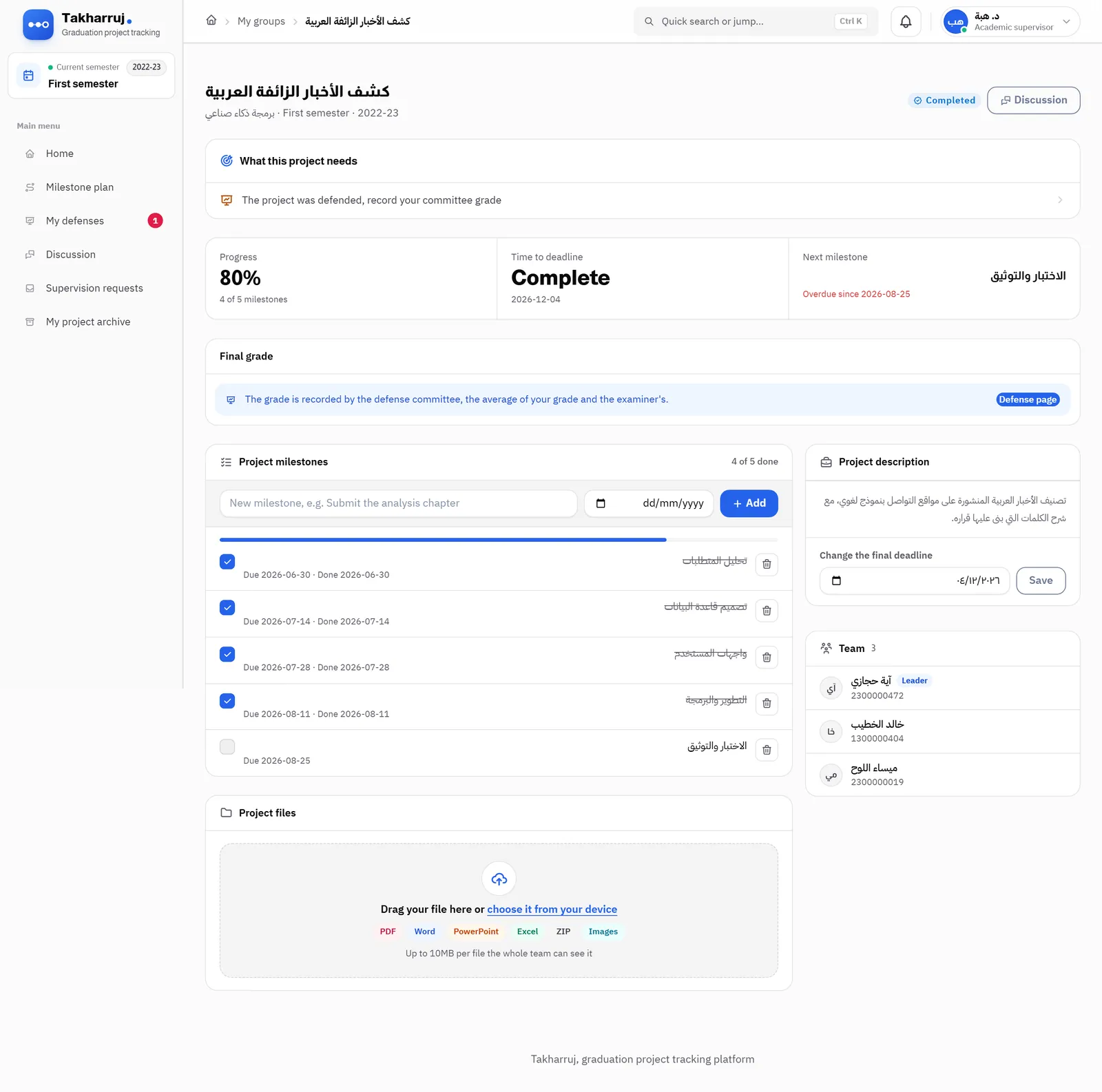
One screen per project: how far along it is, the milestone plan with deadlines, and the files submitted at each step.
/supervisor/projects/10
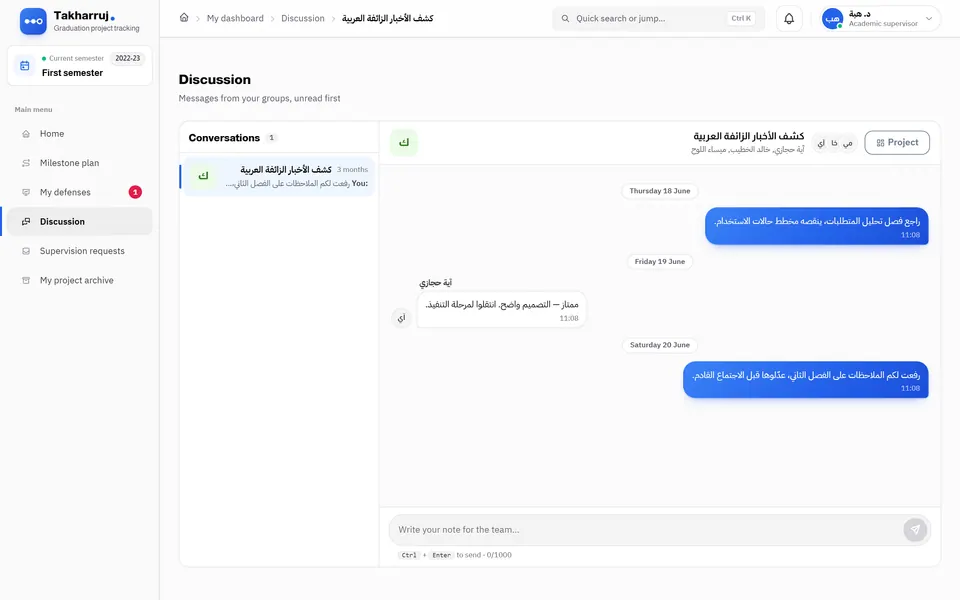
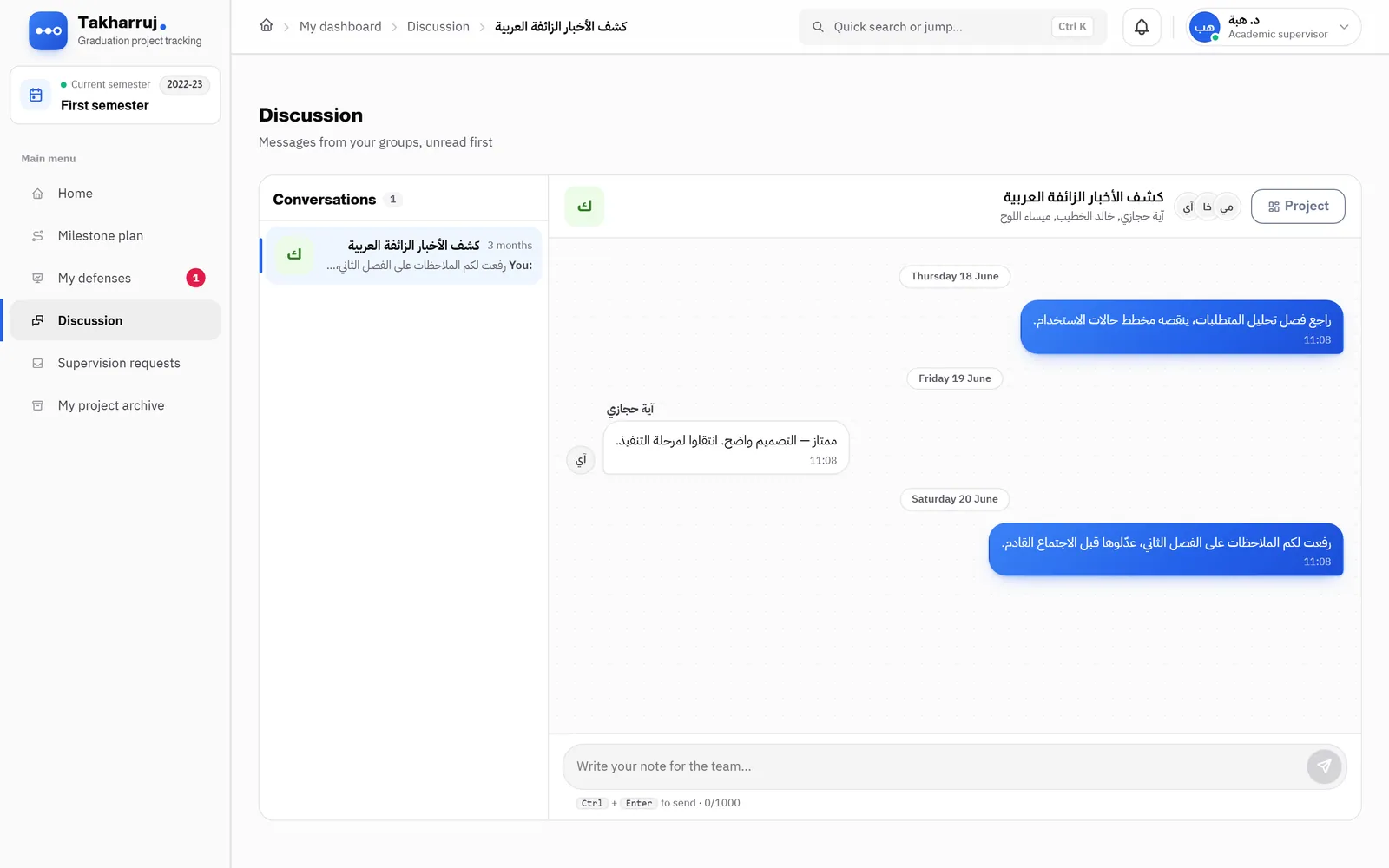
The conversation in one place
Messages between the team and the supervisor arrive and send without a reload, instead of WhatsApp groups and email threads.
/supervisor/discussion/10
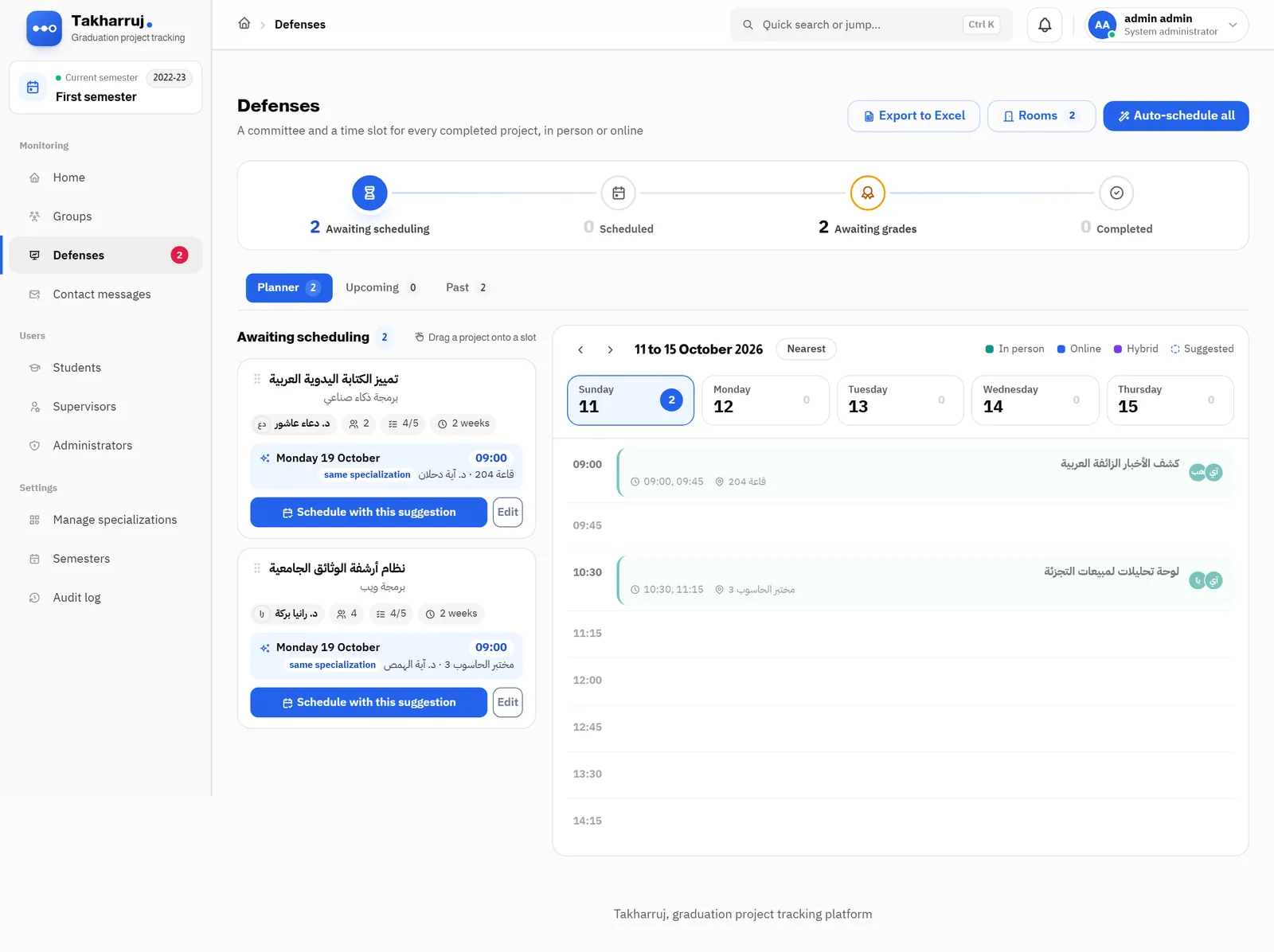
Defenses
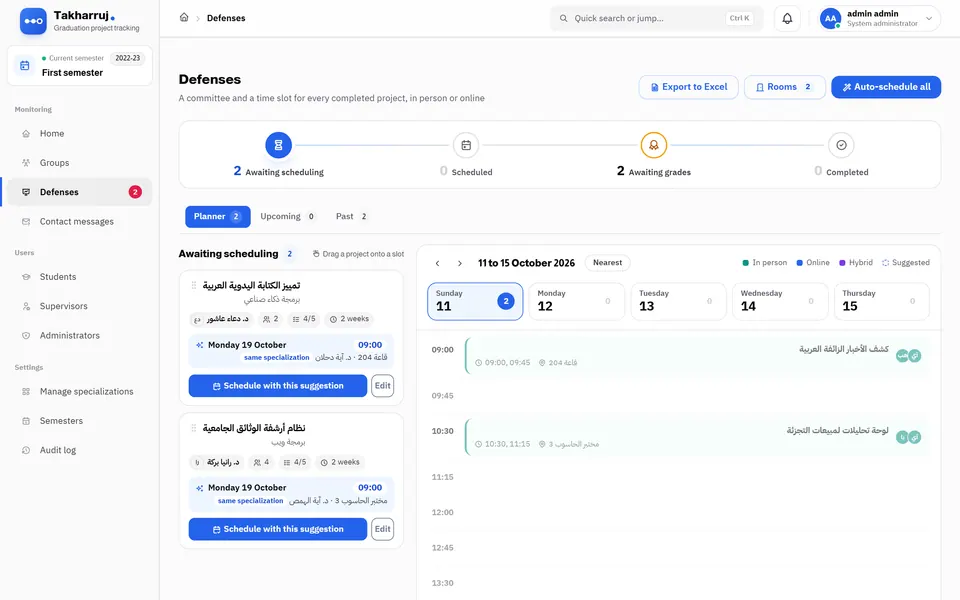
The planner suggests a slot, a room and an examiner for every completed project, or schedules the whole list in one click.
/admin/defenses
The grade
The grade is the committee’s average, it locks once recorded, and the student gets a graduation moment.
/student/dashboard


How it was solved
Built to hold
The decisions that make the promises above true, rather than a look on the screen.
Three spaces, not one
Independent auth guards and routes per role, so each person sees only their part. Students open on their project card: their real team stands at its current step, with the supervisor at approval and the committee at the defense.
The whole path, down to the minutes
Proposal, accept or reject, a stage plan the supervisor sets once for all their groups, submissions with notes, then a defense with a committee, a chair and printable minutes, and a grade that locks on approval and reopens only with a written reason in the audit log.
Live without a reload
Notifications, sidebar counts and discussions update on their own, and uploads show a cancellable progress bar. When a student’s grade is recorded they get a graduation moment: the team tosses its caps while the grade counts up.
Worth explaining
Characters from one source
The student, supervisor, admin and committee are SVG symbols in one file, used by the home page, the sign-in page, the dashboards, the empty states and the welcome tour — change a character once and it changes everywhere.
Arabic and English
Every dashboard string is keyed by its Arabic text and translated in per-area JSON files, and a test fails if a string appears without a translation or a translation drops a placeholder.
Guarded by tests
481 tests cover roles and permissions, defenses, live updates and demo mode, running on a separate test database inside transactions.
The outcome
What was delivered
- 24
- screens in the product
- 64
- real screenshots
- 481
- automated tests
- 2
- full languages
- A live demo with no account: try as student, supervisor or admin, with the data reset nightly.
- 481 automated tests across 65 files.
- Arabic and English, Arabic first and right to left.
- Student import and export through Excel, and printable defense minutes.
Every screen
Every screen, as it is
Real screenshots of the project running — not stock imagery.
Every page in the project
Real screenshots of the project running — not stock imagery. · 64 screens